

Gmedia photo gallery gives a false impression of working with Relevanssi, as you can see the gmedia_tag taxonomy appear in the list of taxonomies:
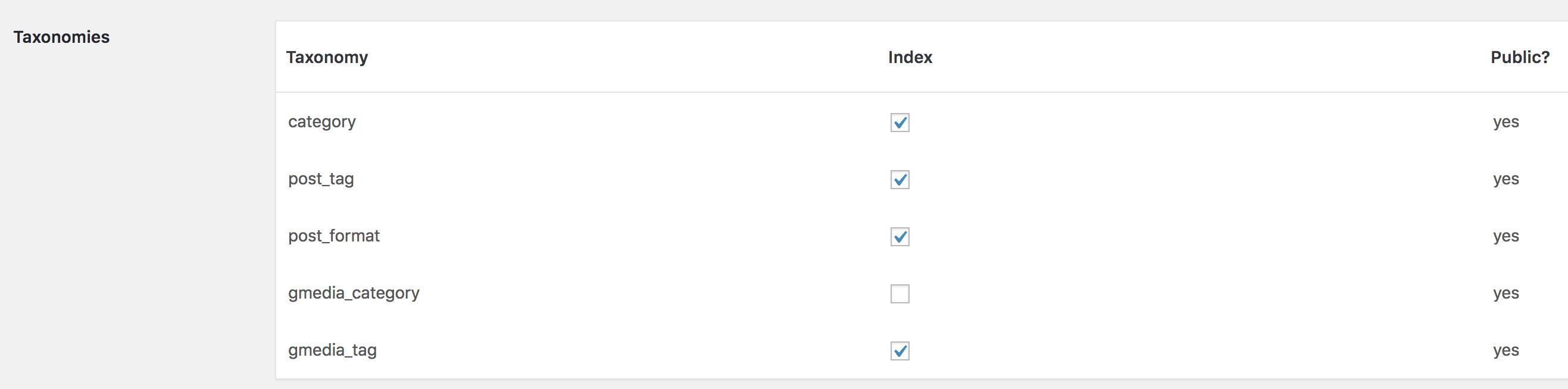
However, if you try to index those tags, you’ll soon notice Relevanssi isn’t actually indexing them. That’s because Gmedia gallery doesn’t use that taxonomy for the tags. The tags are actually in a separate, proprietary taxonomy Relevanssi won’t have access at all.
There is a solution, though. When indexing gallery photos, you can add a function that reads in the actual Gmedia tags, and adds them to the post content before it is indexed by Relevanssi. The code looks something like this:
add_filter( 'relevanssi_content_to_index', 'rlv_index_gmedia_tags', 10, 2 );
function rlv_index_gmedia_tags( $content, $post ) {
	if ( 'gmedia' === $post->post_type ) {
		$id = get_post_meta( $post->ID, '_gmedia_ID', true );
		if ( ! empty( $id ) ) {
			global $gmDB;
			$tags = $gmDB->get_the_gmedia_terms( $id, 'gmedia_tag' );
			if ( is_array( $tags ) ) {
				foreach ( $tags as $tag ) {
					$content .= $tag->name;
				}
			}
		}
	}
	return $content;
}
This checks the post type: if it’s gmedia, the photo ID in the Gmedia database is fetched from the _gmedia_ID custom field. That ID is then used to fetch the terms with $gmDB->get_the_gmedia_terms( $id, 'gmedia_tag' );. The terms are then looped through and the term name is added to the post content, where it will be indexed.
There’s lots of subtle finesses that are missing – this code will for example make your site crash if Gmedia is disabled at some point, but it should get you started with adding better support for Gmedia photo galleries.