

Relevanssi Premium 2.11 introduces a new feature: multi-part excerpts. There’s a new setting on the Excerpts & Highlights settings tab, “Number of excerpt snippets”, and that lets you define the maximum number of excerpt snippets Relevanssi generates for each post.
How does it work
This option is only available when the excerpt length is defined in words. If the excerpt length is defined in characters, the option still appears, but has no effect: there’ll be just one excerpt snippet for each post.
This is the maximum number of excerpt snippets. If Relevanssi can’t find enough good excerpts, for example if the search term appear only once in the document, there’ll be fewer excerpts. Relevanssi also tries to avoid overlapping excerpts and will eliminate excerpts that look too much like excerpts it has already chosen.
The different parts will be combined together in the order of relevance: the best part comes first, then the second-best and so on. Relevanssi won’t order them in the order the parts appear in the post, and can’t show any indication of where in the post the part appears.
Styling the excerpts
Each part is wrapped in a span tab with the class excerpt_part. In order to make the excerpt parts stand out from each other, you need to CSS styles. This would be a fairly basic way to do it:
span.excerpt_part {
    display: block;
    border: thin solid #aaa;
    margin: 10px;
    padding: 20px;
}
If your excerpts include other sources (manually entered post excerpts, comments), Relevanssi knows that and you can display that information on the search results page:
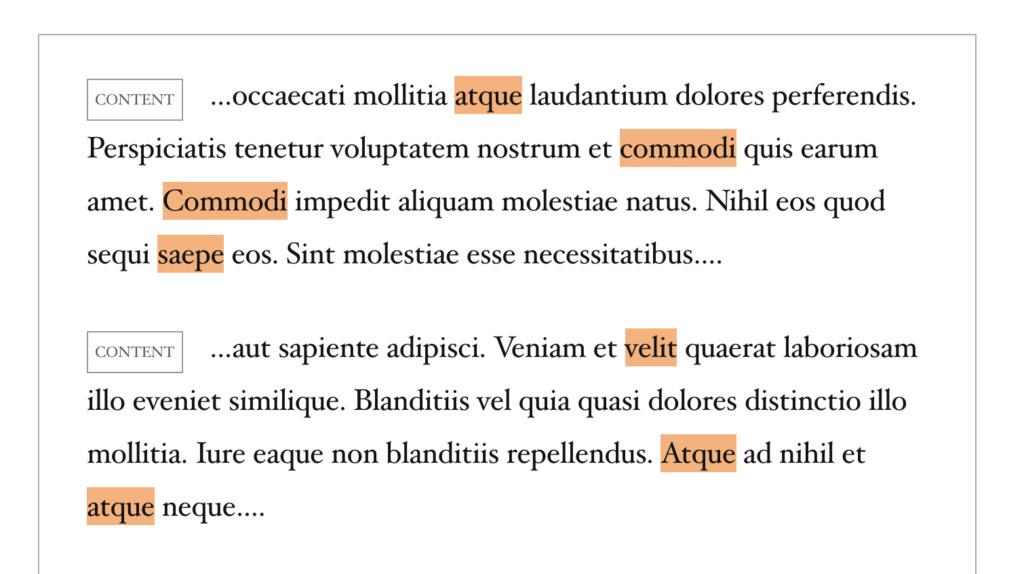
Achieving this is a two-part process. First, add this to your site to modify the excerpt part with the relevanssi_excerpt_part filter to show the source data:
add_filter( 'relevanssi_excerpt_part', 'rlv_excerpt_parts', 10, 2 );
function rlv_excerpt_parts( $excerpt_text, $excerpt ) {
    return '<span class="excerpt_part"><span class="excerpt_source">'
        . $excerpt['source']
        . '</span>'
        . $excerpt['text']
        . '</span>';
}
Then add some styles to make it look nicer:
.excerpt_part .excerpt_source {
	display: inline-block;
	text-transform: uppercase;
	font-size: 50%;
	color: #555;
	margin-right: 20px;
	padding: 5px;
	border: thin solid #999;
}